Wider ↔ Slimmer
Waist
Changes the width of the waist. Drag the handles on the photo to set exactly where the waist is, so a belt or a loose top is not pulled out of shape.
Body Reshape in Expression Editor - Reshot AI adjusts the waist, hips, legs, arms and shoulders in a photo you already took. Pick an area, move one slider, and compare with the original as you go.
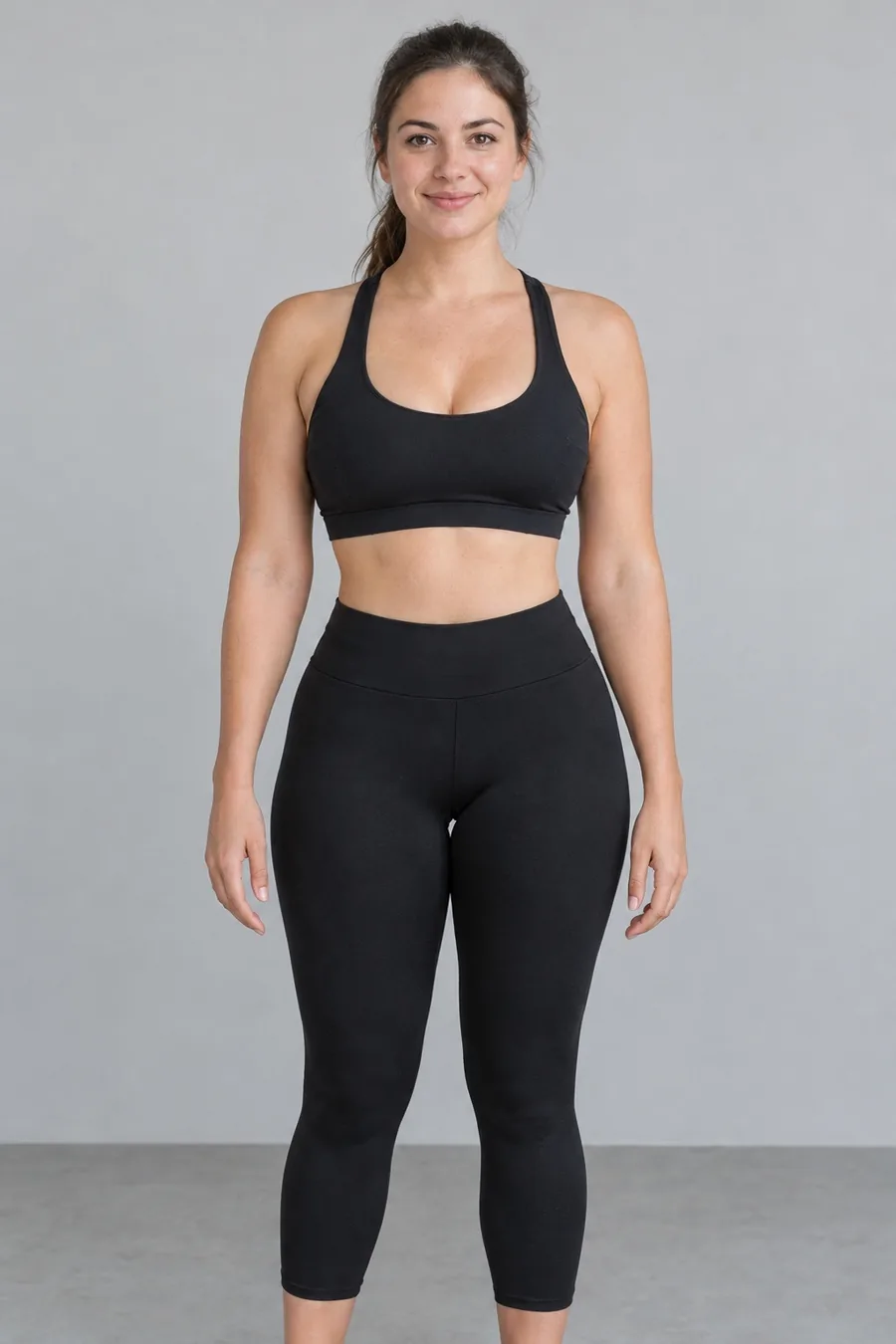
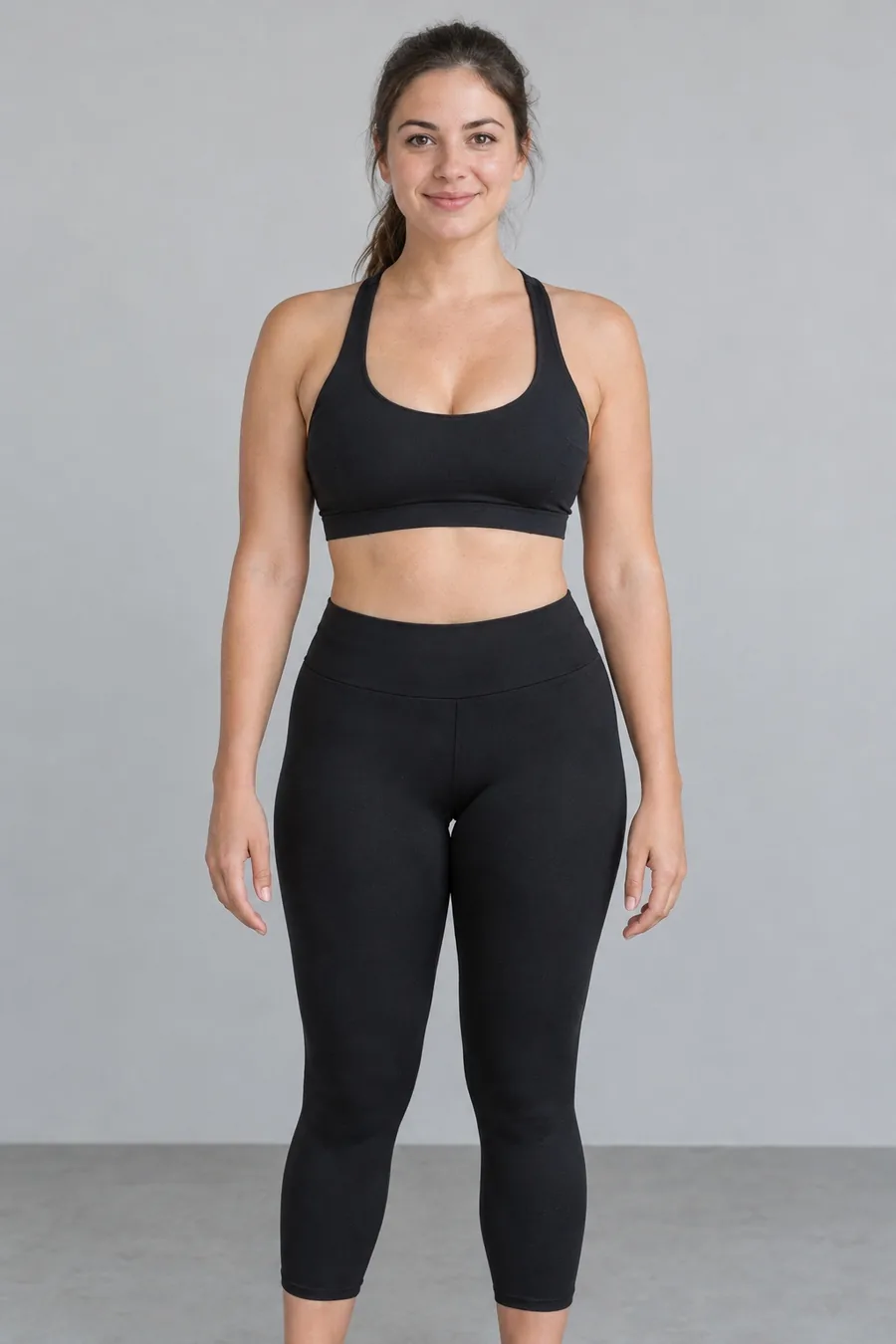
Sample edit from the app: waist and hips. Drag to compare.
Body Reshape is a tool in Face Studio, the photo editor inside Expression Editor - Reshot AI for iPhone. It finds the person's body in the photo and gives you a slider for each area: waist, hips, legs, arms and shoulders. You decide how much to change, or whether to change anything at all, and the original stays one tap away.
Good for:
Most sliders go both ways, so you can make a change smaller as easily as bigger. The arrows show which way it moves.
Changes the width of the waist. Drag the handles on the photo to set exactly where the waist is, so a belt or a loose top is not pulled out of shape.
Narrows or rounds out the line of the hips. Useful in full-length outfit shots, where the hip line decides how a dress or trousers fall.
Stretches the legs from the hips to the ankles, top to bottom only. Handy for photos taken from above, which make legs look shorter than they are.
Adjusts both arms, upper arm and forearm. An arm pressed against the body often looks wider in a photo than it does in a mirror.
Widens or narrows the shoulder line. Good for jackets and suits, and for photos where one shoulder dropped.
Drag the line across the photo. If any part of an edit looks wrong, paint it back with the eraser instead of undoing the whole change.
Download Expression Editor - Reshot AI, open Face Studio and pick a full-length photo.
In a group photo, tap the person you want to edit first.
Waist, hips, legs, arms or shoulders. Guides on the photo show what will change.
Move the handles to the right spot, then move the slider a little at a time.
Check before and after, erase anything you want back, then save.
Most people will not notice a small change. They will notice a bent door frame. These four habits keep an edit believable.
Reshaping moves the pixels around the area you pick. Look at door frames, tiles, railings and the horizon close to the body, and erase any line that bends.
Stop when the photo looks like you on a good day, not like a different person. If you cannot point to what changed, it is about right.
Drag the handles so the area matches the body, not the clothes. A waist area that sits too low pulls the hips with it.
Body Reshape changes both sides of the body together. Arms or legs that are hidden or crossed can give an uneven result, so compare often.
Face width, jaw, chin, cheekbones, nose, lips and brows, each on its own slider.
Learn more →Lipstick, blush, eyeliner, contouring and more, light or full.
Learn more →Smooth skin, heal spots, whiten teeth, brighten eyes.
Learn more →Open eyes that blinked, on one face or the whole group.
Learn more →One tap finds what went wrong in a selfie and makes several better versions.
Learn more →Blur the background, or turn it into a plain backdrop.
Learn more →Step-by-step answers to the questions people search for, with what the app can and cannot do.
The full walk-through: pick an area, set it with the handles, slide, compare and save.
Read the guide →GuideWhy a high camera shortens legs, and how the Legs slider stretches them back.
Read the guide →GuideTwo sliders, both directions, and how to stop clothes from pulling with them.
Read the guide →GuideWhy lines bend when you reshape, and four ways to keep them straight.
Read the guide →Open the photo in Expression Editor - Reshot AI, go to Face Studio and choose Body Reshape. Pick an area (waist, hips, legs, arms or shoulders), move the handles to the right spot, move the slider, compare before and after, and save.
Waist (wider or slimmer), hips (narrower or curvier), legs (longer), arms (fuller or slimmer) and shoulders (narrower or broader).
Yes. The Legs slider stretches the legs from the hips to the ankles, top to bottom only, so the width does not change. Small amounts look the most natural.
Reshaping moves the pixels around the area you pick, so straight lines close to the body, such as door frames or tiles, can bend. Keep changes small, set the area with the handles, and paint the background back with the eraser.
Yes. Tap the person you want to edit. Body Reshape changes only that person, and you can then pick someone else.
Body Reshape reads the body's pose from the photo. When parts are cut off or hidden, it estimates them from the face and the outline and keeps the changes a little smaller. Areas that are not in the photo, such as legs in a half-length shot, cannot be edited.
No. Body Reshape is part of Face Studio inside Expression Editor - Reshot AI, next to Face Reshape, Face Retouch, Makeup and hair color.
Editing needs a Premium subscription or a credit pack. Prices for your country are shown in the app and on its App Store page. Subscriptions renew automatically unless cancelled at least 24 hours before the end of the current period, and can be managed or cancelled in your App Store account settings.
You choose every photo yourself, and a photo you choose to edit is uploaded so the edit can be made. The privacy policy lists who processes it, how long it is kept and how to have your data deleted. Read the privacy policy
Several unrelated apps and websites use similar names. The app is called “Expression Editor - Reshot AI” on the App Store, and its App Store ID is 6670773294. Use the download button on this site to open the right page. bodyreshape.app is a website about the app; its main website is expressioneditor.app. Open the App Store page
Download Expression Editor - Reshot AI on the App Store.
Download on the App Store